 Island
Everything for work — in one island at the top of your screen
Island gathers what sysadmins and developers reach for dozens of times a day: screenshots, commands, tasks, mail, servers and projects. One shortcut — and it is all at hand, without switching windows.
Windows 10 and 11, 64-bit · no admin rights · English and Russian
What Island does
The island hides in a compact capsule with a clock and expands on hover or a hotkey. Inside are tabs for everyday work.
Screenshots
Capture an area with a hotkey, keep a history with previews, drag shots straight into a chat or email, recognize text in images.
Snippets
Commands and templates in groups. Paste into the window you were working in, with the date, project and clipboard filled in.
Tasks and meetings
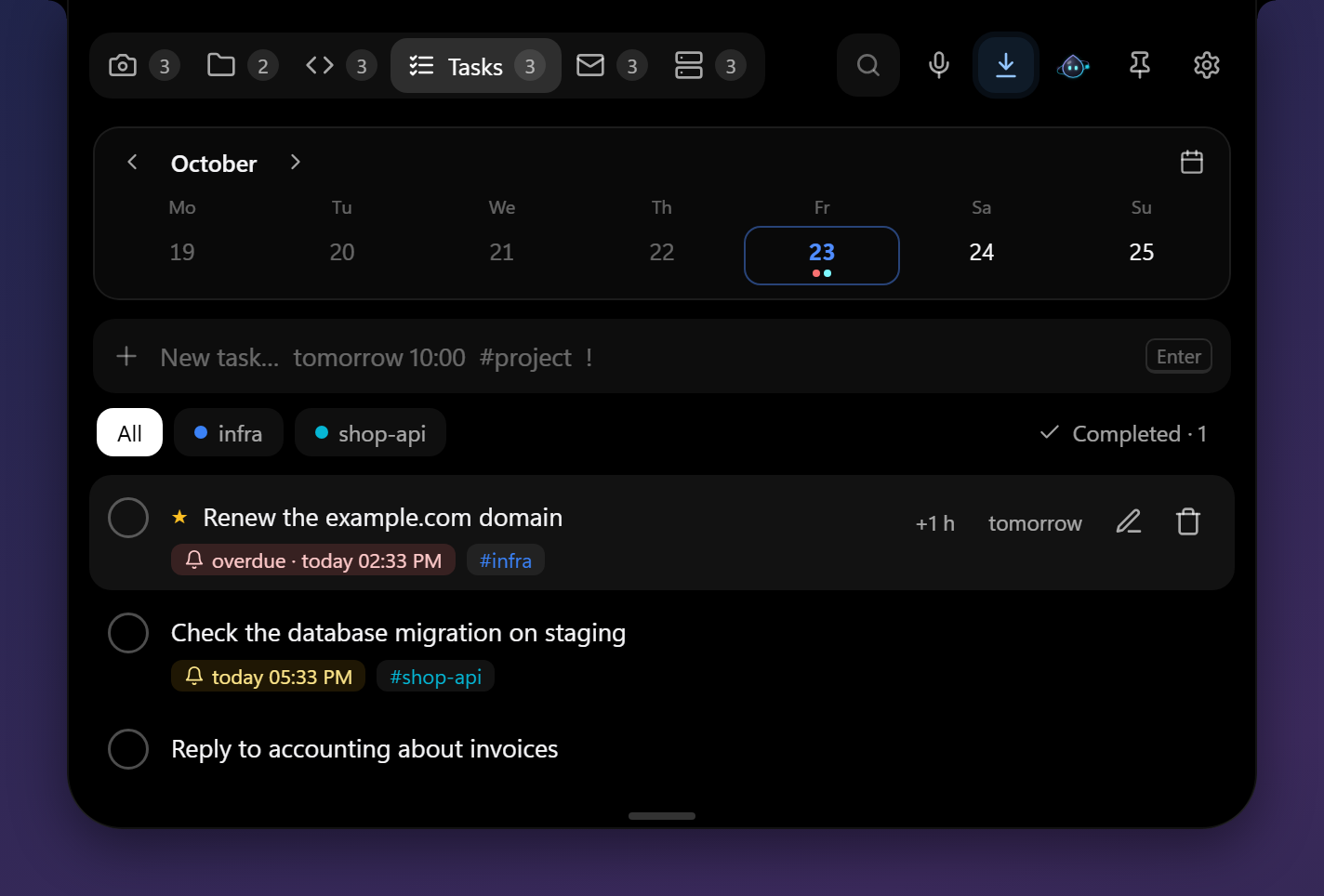
Type as you speak: “call tomorrow at 3pm for 1 hour #project”. Reminders, a week calendar, calendar export.
Unread mail from several IMAP mailboxes. Messages open in the island and are never marked as read.
Hosts
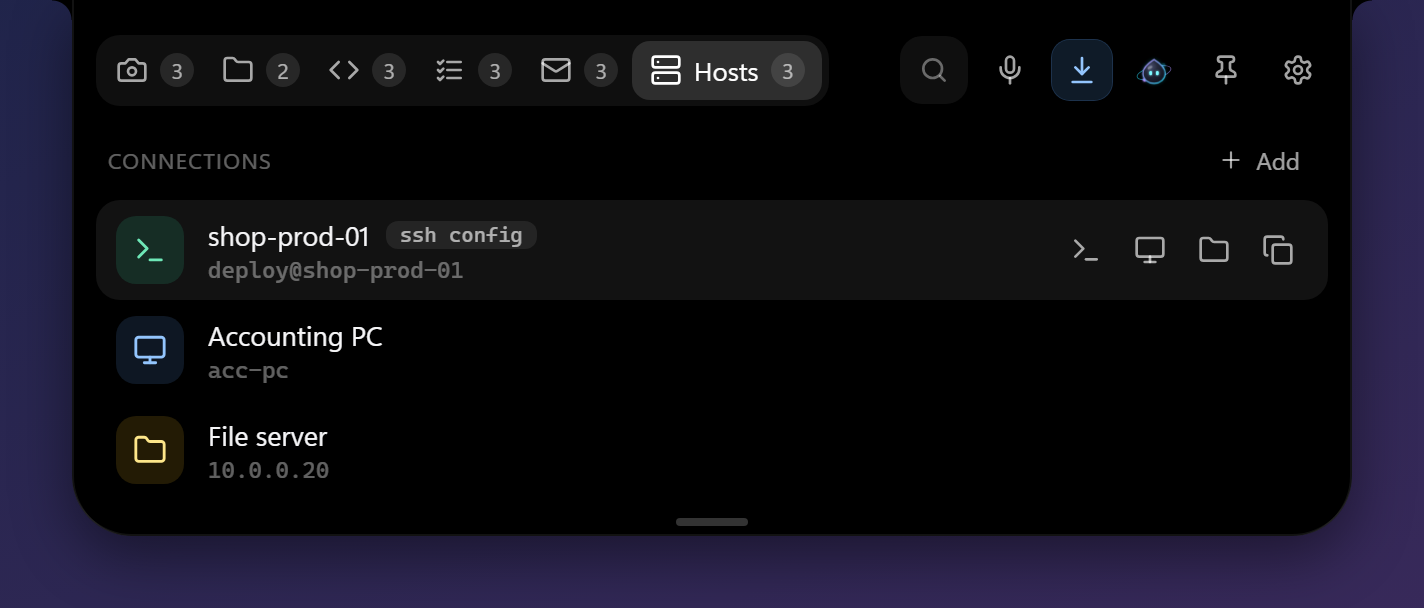
SSH, RDP and network shares in one click — from ~/.ssh/config and your own list. Connections open in a terminal.
Projects
Your code folders and their git branches. Open them in an editor, Explorer or a terminal.
Voice input
Hold a key and speak — the text lands where your cursor is. Recognition runs on your PC, offline.
AI assistant
Any provider: Ollama on your PC, OpenAI, Claude, Gemini, Cloud.ru and more — with your own key and visible costs.
Mail that AI triages for you
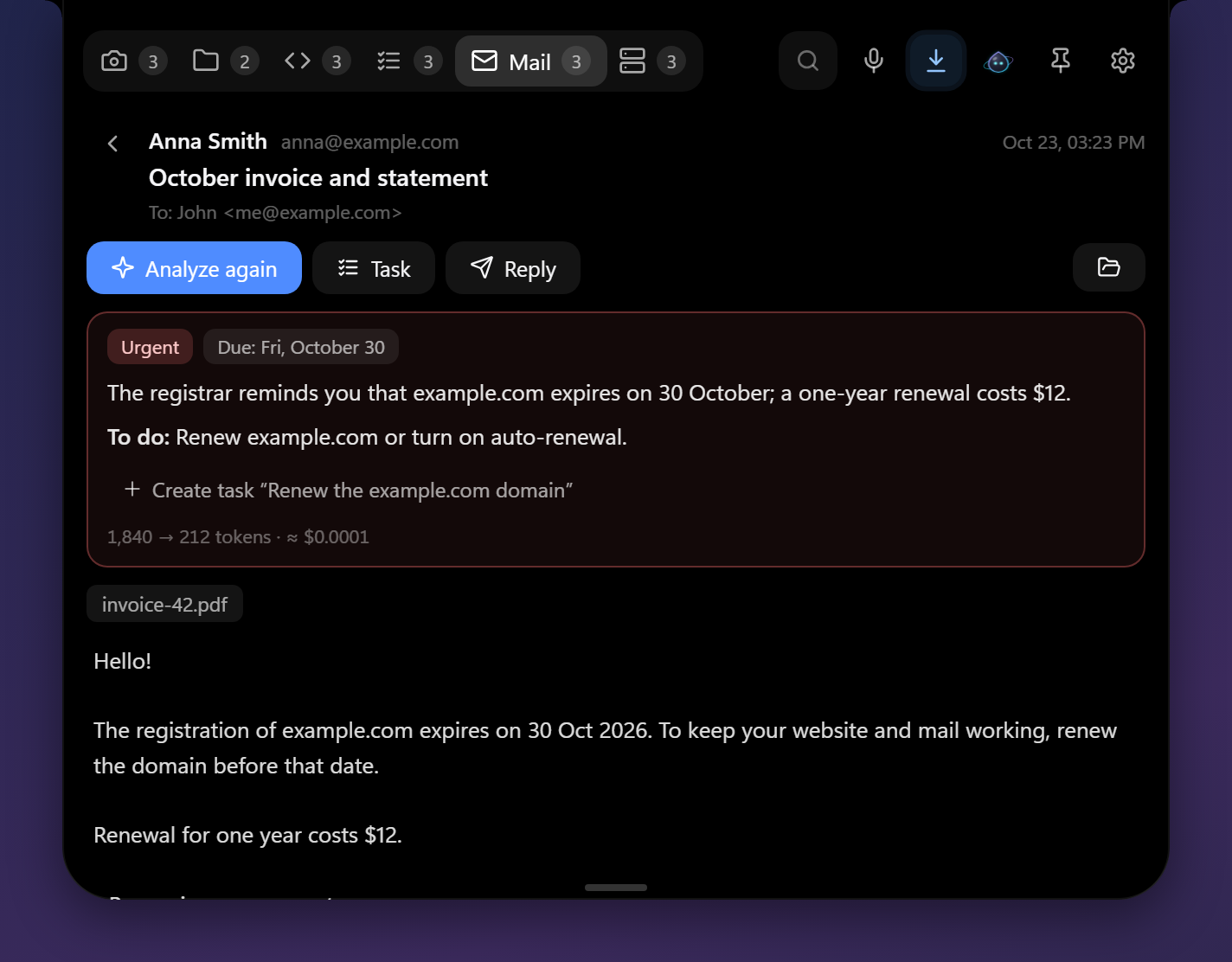
Open a message right in the island — HTML turns into clean text without layout clutter. “Analyze” shows the gist, the deadline and what to do.
- Urgency and phishing warnings
- A task from the email in one click
- A reply draft — in your mail app
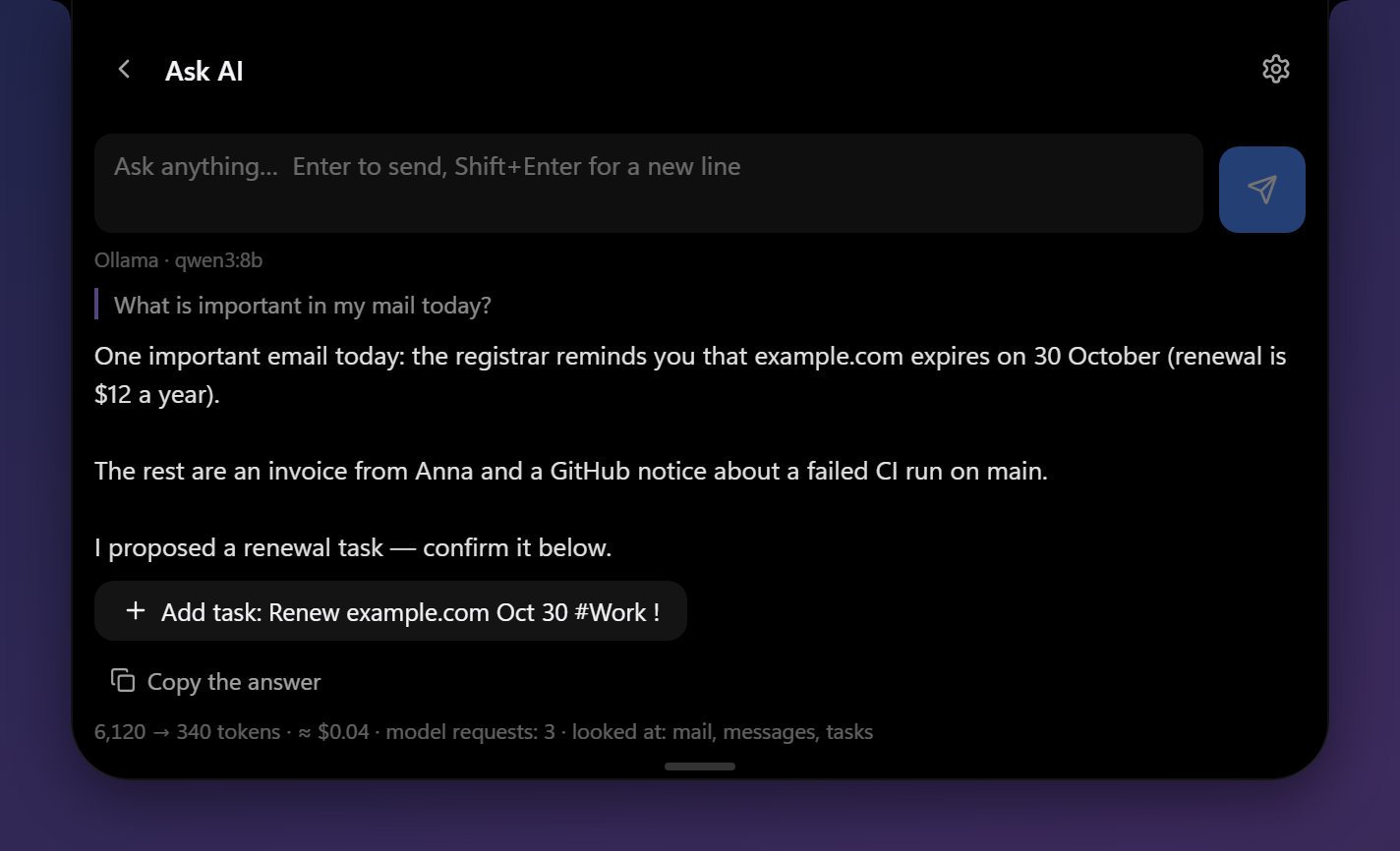
Ask — it looks things up itself
“Anything important in my mail?”, “Which tasks are overdue?”, “How do I connect to the database server?” — the assistant checks your mail, tasks, hosts and snippets and answers to the point.
- You see what it looked at and what it cost
- It creates tasks only after you confirm
- It never sees passwords or keys
Servers and commands at hand
Hosts from ~/.ssh/config appear on their own; add others in a couple of fields. Snippets paste into the window you were working in — a terminal, an IDE or a chat.
Your data stays yours
Island is made by a sysadmin for sysadmins — with the same healthy paranoia.
Pricing
Everything that runs on one computer is free, with no time limit.
Free
for one PC
- All tabs: screenshots, snippets, tasks, mail, hosts, projects
- Voice input on your PC
- AI assistant with your own key or a local model
- Updates
Cloud
for several PCs · 14 days free
- Sync between your PCs in seconds
- Mail passwords and AI keys move over by themselves
- Backup: set up a new PC by signing in
- Up to 5 PCs and 1 GB of data — plenty of room
- End-to-end encryption
FAQ
Windows says “Windows protected your PC”. Is that normal?
Yes: the app does not have a paid publisher certificate yet, and SmartScreen is cautious with new apps. Click “More info” → “Run anyway”. Island checks its own updates by our digital signature.
Do I need admin rights?
No. Island installs for your user only and starts with Windows (you can turn that off in settings).
How do I get cloud access?
In the app: “Settings → Sync → Create account”. The first 14 days of the cloud are free, then it is a subscription. Sign-up is invite-only right now; open access is coming soon. Everything on one PC is always free.
What happens to my data if I stop paying for the cloud?
Everything on your PCs stays there and keeps working — only syncing stops. The encrypted cloud copy is kept for another 90 days: renew within that time and everything picks up where it left off.
Which AI do I need and what does it cost?
Any with an OpenAI-compatible API or the Claude API: free Ollama on your PC or a cloud service with your own key. Island shows token usage and cost for every answer and per month.
Can the AI see my passwords?
No. The assistant can look at mail, tasks, hosts and snippets when a question is about them, but passwords and keys are not part of that data — they are stored separately in Windows.